
Making your first crypto trade can be both exciting and terrifying.
Most tutorials lack clarity and context, and inundate you with complex screenshots and trading terms. Sometimes, everything can sound like a big puzzle.
To help new traders trade with confidence, we’ve broken everything down into step-by-step instructions. Let’s get started!
Getting Started with Spot Trading
First things first – always make sure your account has been registered and you’ve passed KYC by submitting a photo ID.
Before you make your very first crypto trade, let’s talk about something every new trader wonders:
“How much money should I start with?”
Great question. As a beginner, you’ll want an amount that’s big enough to learn with, but not so big that you’ll panic if the market moves against you.
Only deposit an amount that you can leave untouched for at least one month without withdrawing it.
We recommend starting with 1,000 USDT. This will give you enough flexibility to try different features and trades without feeling stressed.
Once you’ve decided how much you want to invest, just add funds to your BTSE Spot wallet to get started—we’ll guide you through the steps in this tutorial video, and you can also check out our blog post for more details.
Placing Your First Order
Once you’ve deposited funds, you need to decide what to buy.
Many new users get confused about how currencies convert and what trading pairs are, so just remember that a trading pair simply shows how much one token is worth in another currency.
You can start converting whatever you deposited on BTSE, whether it’s USDT or a currency like USD, EUR, or NZD.
In this example, we’ll use a BTC/USDT trading pair to buy Bitcoin with 1,000 USDT.
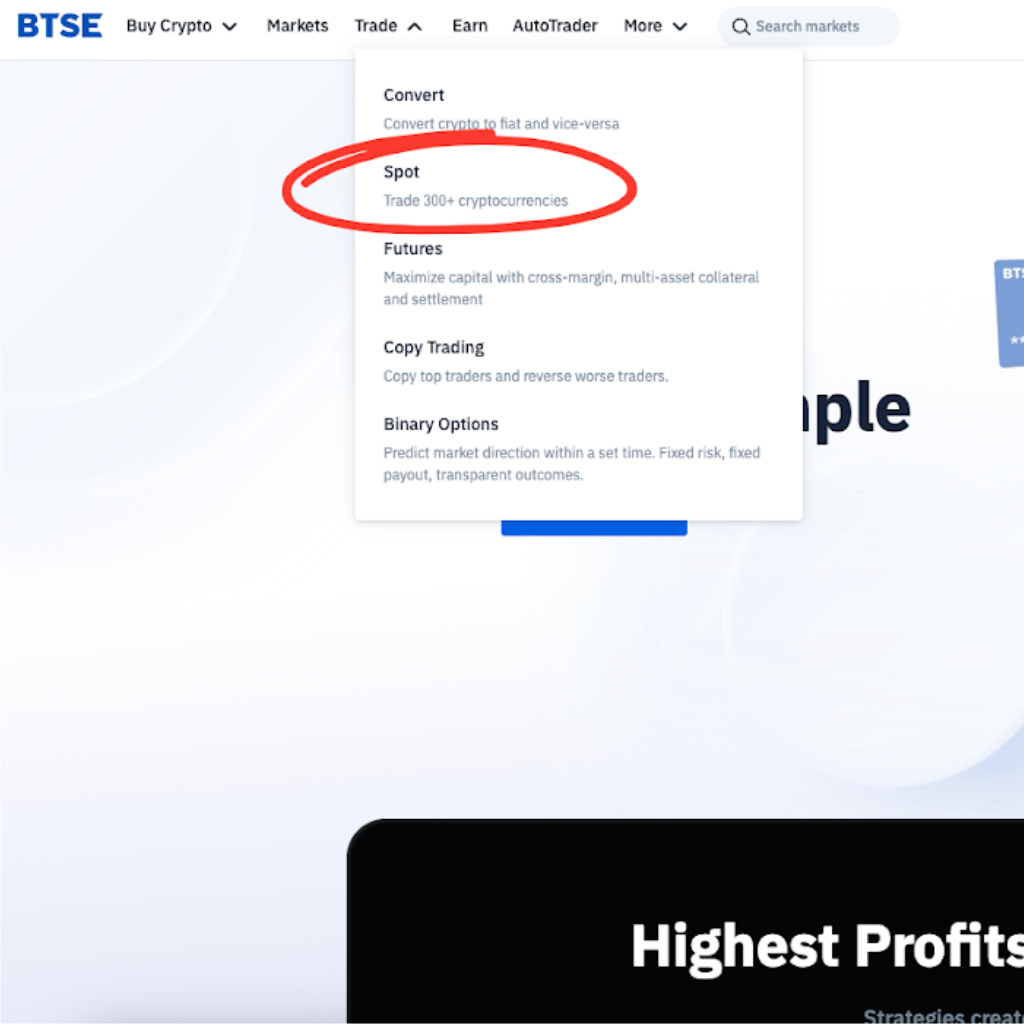
First, go to btse.com and find the spot trading entrance at the top of the main menu.
Move your cursor over the trading menu in the top-left corner, find Bitcoin – BTC, and click on it.
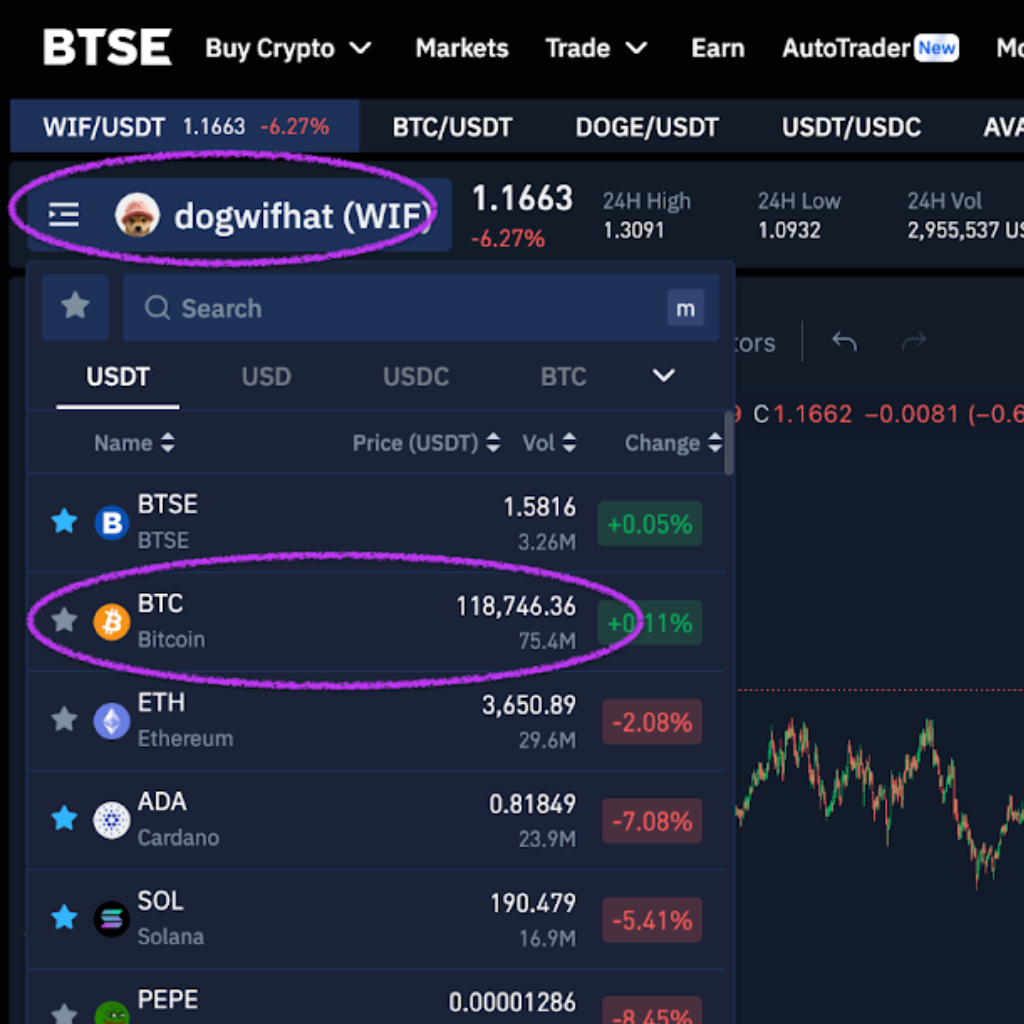
On the BTC trading page, find the trading pair above the order book and choose the one that matches the coin you’re using to buy BTC— if you’re paying with USDT, select BTC/USDT.
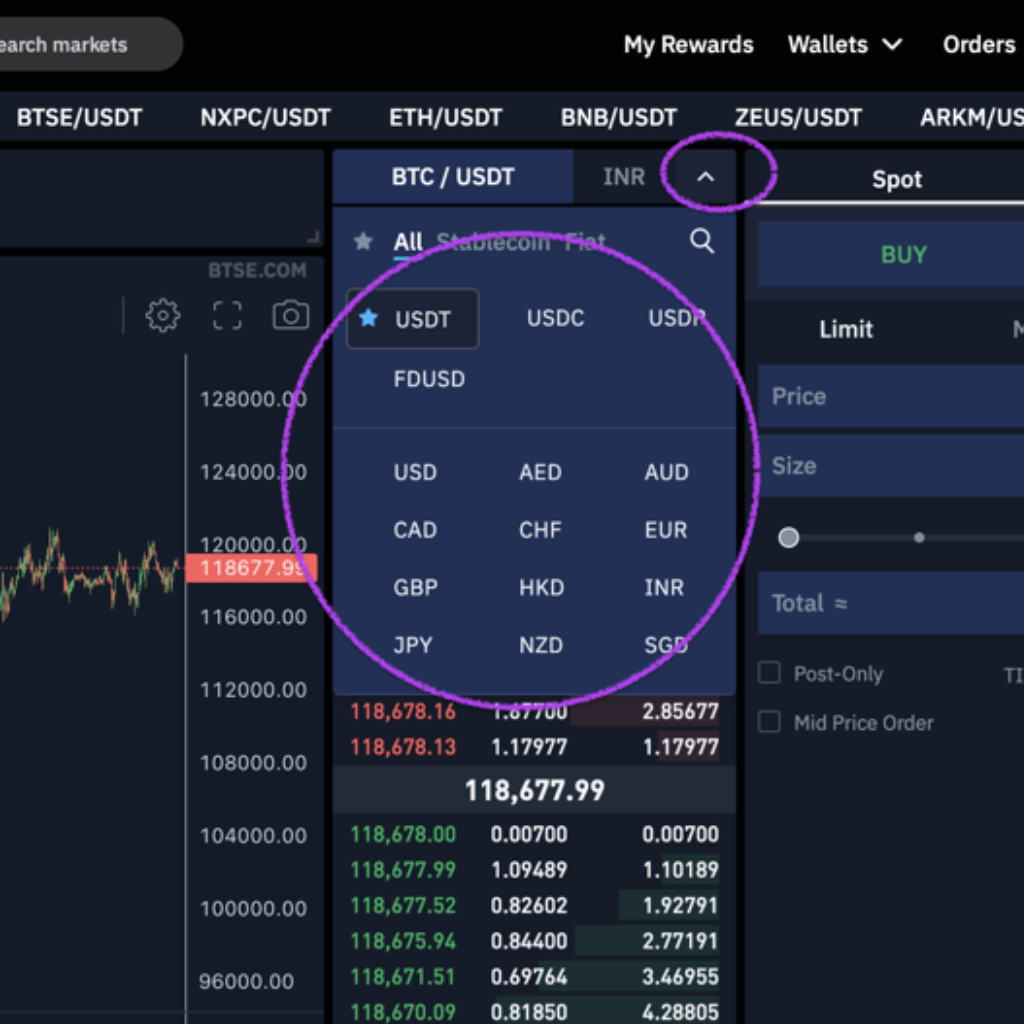
After you enter the spot trading interface, there will be two options to buy: market order and limit order.
A market order buys or sells immediately at the current price, which may shift slightly, while a limit order lets you choose the maximum price you’re willing to pay, but it may not fill if the market never reaches that price.
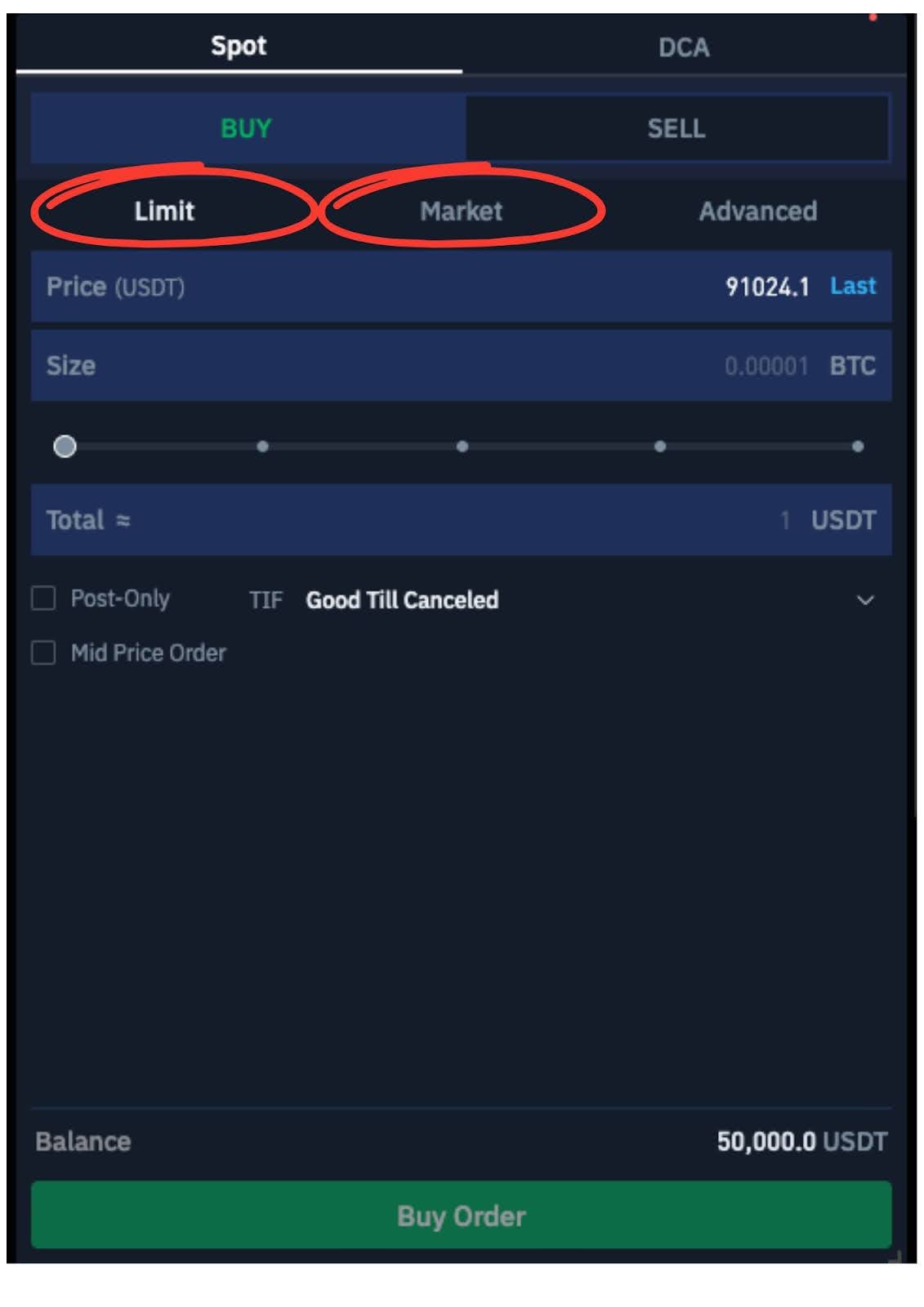
They should be displayed in the right corner of your trading page.
It’s usually best to wait for a good price, so if a token is swinging about 5% in a week, you can place a limit order with a price closer to the lower end of that range to try getting a better deal.
Order Execution and Tracking
Put in a limit order for 1,000 USDT at the last price.

If you place a limit order to buy at below the market price, it won’t fill right away—instead, it stays in Open Orders until a seller matches your price.

After the order is filled, you can find the transaction record in the Order Fills tab.

You can also navigate to the Balances tab to check your updated balance.

Congratulations! You’ve executed your first spot trade.